
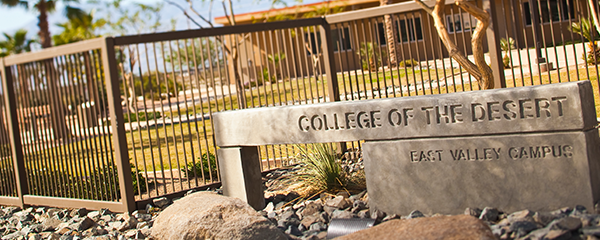
Mecca/Thermal Campus - Campus Services
The Enrollment Services Team is available to help answer your questions in-person or via phone at 760-396-2010 or 760-776-7200. You may also reach us via email at OffCampusSites@collegeofthedesert.edu.
The Mecca/Thermal Bilingual Enrollment Services Staff is available Tuesday from 8:00 a.m. to 4:00 p.m. and Thursday from 8:00 a.m. to 3:30 p.m. in the Administration Office - A1. Hours of availability are subject to change, please contact our office or visit our website for changes in hours. We look forward to connecting with you and helping answer your questions.
Bookstores
Textbooks for courses taught at the East Valley Campuses are available at the Indio Campus Bookstore as well as the Palm Desert Campus Bookstore.
The Bookstores also sell a variety of COD apparel items, scantrons, snacks, and school supplies.
The Indio Campus Bookstore is open Monday, Wednesday, and Thursday from 9:00 a.m. to 4:00 p.m. For more information, please contact the Indio Campus Bookstore at 442-400-5319, the Palm Desert Campus Bookstore at 760-773-2564 or visit their website.
Bursar's Services (Fees/Payments)
The Student Services window is open to assist with processing debit or credit card payments at the Mecca/Thermal Administration Office - A1.
Students may also pay their fees on their MyCOD Student Portal with a debit or credit card. If you need assistance navigating the MyCOD Student Portal, the Enrollment Services Team is available to help answer your questions in-person or via phone at 760-396-2010 or 760-776-7200.
For more specific information about payments and payment plans, please visit the Bursar Office website.
Micro Pantry - C1
In partnership with FIND Food Bank, College of the Desert has opened the Micro Pantry where students are able to access non-perishable items, fresh fruits and vegetables at the Mecca/Thermal Campus.
The Micro Pantry is temporarily closed.
Roadrunner Express
The Roadrunner Express is a free shuttle service that connects students between campuses. The shuttle operates on Monday through Thursday with the exception of holidays. The Roadrunner Express has two routes, the East and West and makes three stops daily. The first bus routes from both the East and West will arrive at the Palm Desert Campus by 7:50 a.m.
East Route
1st Stop - Mecca/Thermal - Along the Main Driveway on the bench
2nd Stop - Indio - Parking Lot behind the Main Building
3rd Stop - Palm Desert - Roundabout next to Cravens Building
West Route
1st Stop - Desert Hot Springs - Bus Driveway adjacent to Education Center
2nd Stop - Palm Springs - Parking Lot
3rd Stop - Palm Desert - Roundabout next to Cravens Building
Note: Please show your Roadrunner Student ID card to the driver to board the Roadrunner Express. You can also use your myCOD mobile app to access and show your digital ID card information.
Roadrunner Student ID
The Roadrunner Student ID is the preferred method of identification throughout all College of the Desert campuses.
How to Obtain a Roadrunner Student ID:
-
- You must be currently enrolled in classes at COD
- You must provide proof of your class schedule or registration statement (Canvas, MyCOD app, Student Portal, printed schedule, etc.)
- You must bring a physical photo ID with you such as: Driver's License, State ID, Passport, etc.
- Visit one of the Student ID locations to have your photo taken
Student ID Resources:
-
- Student Identification
- COD Library Services
- Basic Needs Center Services
- Roadrunner Express
- Snack Pantries/Micro Pantry/Central Pantries Access
- Student IDs are FREE and DO NOT expire!
Student ID Locations:
Please contact your preferred COD Campus to confirm their hours of operation or if you have any questions regarding student IDs.
-
-
-
Mecca/Thermal Campus:
- Administration Office - A1 - 760-776-7200
-
Indio Campus:
-
Administration Office, Building B - 1st Floor - 760-776-7200
-
-
Palm Desert Campus:
-
Office of Student Life, Dining Hall Building - 760-862-1317
-
-
Palm Spring Campus:
-
Student Services Office - PS-07 - 760-674-3784
-
-
Desert Hot Springs:
-
Student Services Office – Room 39 – 760-776-7370
-
-
-
Student Commons - C1
Need a place to study, access WiFi, meet for group assignments, or hang out in between classes?
The Student Commons - C1 is the space for you! It is open Tuesday and Thursday from 8:00 a.m. to 5:30 p.m. with the exception of holidays.
Student Health & Wellness
Student Health Services are available to support enrolled students in achieving their educational goals by maintaining optimum physical, mental and emotional health. The clinic is staffed with licensed professional nurses, and licensed mental health professionals. All services are free unless otherwise specified. Students must be enrolled in classes during the current and or upcoming semester to receive services. All services are confidential.
For a full listing of services available, please visit the Student Health and Wellness page.
Mental Health Services
Many people experience times in their lives when some type of outside assistance would be helpful in order to look at a situation more objectively, explore options, and identify new strategies or solutions. This help can come from various sources. As a student at College of the Desert, you are eligible to receive psychological counseling from a trained professional.
Please visit the Mental Health Services page for comprehensive service information.
TimelyCare
TimelyCare is a virtual health and well-being platform available 24/7 for College of the Desert students at no cost. With TimelyCare, you will have free, 24/7 access to providers from anywhere in the United States, regardless of your insurance status. So, you’ll never have to spend time or money looking for care, whether you’re on or off campus. Please visit www.timelycare.com/cod or download the TimelyCare app on the App Store or Google Play Store to access care.
SunLine Haul Pass Program
College of the Desert’s SunLine Haul Pass Program provides enrolled students reliable and free transportation to school and anywhere they need to go.
Follow the steps below to access the COD Haul Pass Program:
-
- Use your mobile devices to go to the COD Haul Pass Program website and download the Token Transit App on the App Store or Google Play Store.
- Enter your COD student email to get access to College Haul Passes fares
- Check your COD email and click the Token Transit Logo to unlock access to the daily College Haul Pass
- Redeem the code for College of the Desert
- If you do not get the redeem button, use the Redeem Code link in the app menu and enter the code you received in the email (located at the bottom of the email in the Having Trouble? section)
- On the Token Transit app, select "Buy Passes"
- Search and select College of the Desert Summer/Fall 2025 in the Token Transit app
- Select College Haul Pass Day and Buy Now
- Before boarding the bus, select Start My Trip
- Show the bus operator your ticket
Note: These are unlimited use passes for one day, so you will need to purchase a new bus pass each day you wish to use it.